Sunday, December 3, 2017

Which Android Launcher Is Best For You?

When it comes to customizing an android device without rooting, a home screen replacement a.k.a launcher is the best option we’ve got.

For the uninitiated, a launcher is an app that lets you customize the look of your home screen as well as your app drawer.

Now, given the huge number of launchers available, there’s something for everyone. So here are the best app launchers for particular needs:

For Speed Lovers: Nova Launcher/Apex Launcher


Both Nova and Apex launcher work amazingly fast on Android phones as well as tablets. If you have never tried any 3rd party launcher before, then you can choose any one of them. Both of them give a stock launcher like feel but with advance features like gestures, resizing grids, unread notifications, transitions, theme support, and a lot more. Both the launchers have plenty of features to satisfy advanced as well as basic users. With recent updates both, Nova and Apex, have got material design update.

If I have to choose one, I’ll choose Apex Launcher as it provides plenty of feature in free version. You have to pay to access basic features like gestures in Nova Launcher.

For Unique Looks: Buzz Launcher/Themer/Lighting Launcher


If customization is not your thing, these launchers are for you. All three launchers have huge database of user created themes. However, buzz launchers database is larger than that of Themer and Lightning Launcher. Setting up these launchers is simple. After installing, you can browse through hundreds of crowd sourced themes and select the one you like. The themes that use third-party widgets and apps not installed on your device will prompt you to get those services. Although, Themer and Lightning Launcher worked perfectly on my phone, Buzz Launcher crashed twice during testing. It may be because of the low quality specifications of the phone. Anyhow, all of these launchers are amazing and can make your phone standout among your friends.

For Old Phones: Holo Launcher/FTL/Zeam Launcher

Using a phone with old hardware is disgusting. It’s slow and lags a lot. If you have an old phone than using one of the above mentioned third party launcher can make your phone perform faster. Holo launcher is based on KitKat and has almost all the features a normal user will require. Zeam launcher is based on Icecream Sandwich and is minimal to the core. FTL stands for Faster Than Light and it truly stands to its name. It is based on Gingerbread. All of these launchers support older versions of Android like Froyo (2.2). If you use any one from the above mentioned launchers, your phone will never crash.

For The Elders: Wiser/Big Launcher


Both of these launchers aim at the elderly citizens and try to make there smartphone experience as simple as possible. These launchers enlarge the icons and fonts. The main screen mainly include large icons of contacts, messaging, dialer, camera, and a few more essential apps. The user interface becomes big so that everything can be seen clearly.

For Metro UI Lovers: Launcher 8


I like metro UI a lot. It’s minimal and productive. Launcher 8 is the best metro UI like home screen replacement app for Android. It completely changes the home screen and app drawer into the one that is found in windows phones. It also comes with a lock screen which also resembles windows phone’s lock screen. It also has a themes database which is filled with user created themes. If you like the metro UI then you should try Launcher 8.
When it comes to customizing an android device without rooting, a home screen replacement a.k.a launcher is the best option we’ve got.

For the uninitiated, a launcher is an app that lets you customize the look of your home screen as well as your app drawer.

Now, given the huge number of launchers available, there’s something for everyone. So here are the best app launchers for particular needs:

For Speed Lovers: Nova Launcher/Apex Launcher


Both Nova and Apex launcher work amazingly fast on Android phones as well as tablets. If you have never tried any 3rd party launcher before, then you can choose any one of them. Both of them give a stock launcher like feel but with advance features like gestures, resizing grids, unread notifications, transitions, theme support, and a lot more. Both the launchers have plenty of features to satisfy advanced as well as basic users. With recent updates both, Nova and Apex, have got material design update.

If I have to choose one, I’ll choose Apex Launcher as it provides plenty of feature in free version. You have to pay to access basic features like gestures in Nova Launcher.

For Unique Looks: Buzz Launcher/Themer/Lighting Launcher


If customization is not your thing, these launchers are for you. All three launchers have huge database of user created themes. However, buzz launchers database is larger than that of Themer and Lightning Launcher. Setting up these launchers is simple. After installing, you can browse through hundreds of crowd sourced themes and select the one you like. The themes that use third-party widgets and apps not installed on your device will prompt you to get those services. Although, Themer and Lightning Launcher worked perfectly on my phone, Buzz Launcher crashed twice during testing. It may be because of the low quality specifications of the phone. Anyhow, all of these launchers are amazing and can make your phone standout among your friends.

For Old Phones: Holo Launcher/FTL/Zeam Launcher

Using a phone with old hardware is disgusting. It’s slow and lags a lot. If you have an old phone than using one of the above mentioned third party launcher can make your phone perform faster. Holo launcher is based on KitKat and has almost all the features a normal user will require. Zeam launcher is based on Icecream Sandwich and is minimal to the core. FTL stands for Faster Than Light and it truly stands to its name. It is based on Gingerbread. All of these launchers support older versions of Android like Froyo (2.2). If you use any one from the above mentioned launchers, your phone will never crash.

For The Elders: Wiser/Big Launcher


Both of these launchers aim at the elderly citizens and try to make there smartphone experience as simple as possible. These launchers enlarge the icons and fonts. The main screen mainly include large icons of contacts, messaging, dialer, camera, and a few more essential apps. The user interface becomes big so that everything can be seen clearly.

For Metro UI Lovers: Launcher 8


I like metro UI a lot. It’s minimal and productive. Launcher 8 is the best metro UI like home screen replacement app for Android. It completely changes the home screen and app drawer into the one that is found in windows phones. It also comes with a lock screen which also resembles windows phone’s lock screen. It also has a themes database which is filled with user created themes. If you like the metro UI then you should try Launcher 8.

Guide: Root Yu Yureka - Updated


Requirements:  Your Micromax YU Yureka should have at least 30-40 percent of battery to perform the rooting process.

Rooting YU Yureka involves 2 process i.e unlocking the bootloader to flash the cwm recovery. After that flashing the supersu through CWM recovery. So, follow the steps carefully.

Unlocking YU Yureka Bootloader:


Step 1: Download and install the ADB Driver on your Windows Computer.


Step 2: Download and extract the root package on your computer. After extracting, you will be able to see the following files on your computer.


Step 3: Power off the YU

Step 4:  Now, connect the YU Yureka smartphone to the computer using the USB cable. Once you have successfully connected your YU Yureka smartphone to the computer then LED light become red.

Step 5: Now, Press and hold the Volume UP Button till the LED glows.

Step 6: Now, on your computer open the extracted files folder (#Step 2). Then Press and Hold Shift key from the Keyboard on your computer and Right click anywhere on the screen to select Open Command prompt window here.


Step 7:  Once Command Prompt window successfully opened, type
fastboot -i 0x1ebf oem unlock
and hit Enter key from keyboard (this process will delete all the personal data including the internal memory of your phone).

Step 8: Now, Your Bootloader is successfully unlocked.


Flashing CWM to root YU Yureka:

Step 9:  Now, again open the extracted files folder, then press and Hold Shift key from the Keyboard on your computer and Right click anywhere on the screen to select Open Command prompt window here.

Step 10: In Command Prompt, type fastboot -i 0x1ebf flash recovery recovery-yu.img hit enter.

Step 11: Now, you have successfully flashed the cwm recovery on your Micromax YU Yureka smartphone.

Step 12:  Power On your YU Yureka smartphone.

Step 13: Now, Download the latest SuperSU.

Step 14:  Now, CCopy or Move opy or Move the downloaded  SuperSU.zip SuperSU.zip file to your Phone SD Memory.

Step 15: Again, PPower Off ower Off your Device.

Step 16:  Now, you need to boot into cwm recovery mode by pressing volume up + volume down + power button (all three buttons together for 7-8 seconds.

Step 17: In CWM recovery mode, Select Install zip from I SD card nstall zip from SD card by pressing the power button.

Step 18: Now, Select Choose it fromC internal SD card hoose it from internal SD card by pressing the power button.

Step 19: Now select the ssupersu.zip upersu.zip file by pressing the ppower ower button.

Step 20: Once, Flashing is completed. RReboot eboot through CWM.

Step 21: Now, to make sure you have successfully rooted your Micromax YU Yureka smartphone, open Applications Menu on your Smartphone and Find SSuperSU App. If this app exist on your Smartphone then it means you have successfully rooted your device.

Congratulation 


Requirements:  Your Micromax YU Yureka should have at least 30-40 percent of battery to perform the rooting process.

Rooting YU Yureka involves 2 process i.e unlocking the bootloader to flash the cwm recovery. After that flashing the supersu through CWM recovery. So, follow the steps carefully.

Unlocking YU Yureka Bootloader:


Step 1: Download and install the ADB Driver on your Windows Computer.


Step 2: Download and extract the root package on your computer. After extracting, you will be able to see the following files on your computer.


Step 3: Power off the YU

Step 4:  Now, connect the YU Yureka smartphone to the computer using the USB cable. Once you have successfully connected your YU Yureka smartphone to the computer then LED light become red.

Step 5: Now, Press and hold the Volume UP Button till the LED glows.

Step 6: Now, on your computer open the extracted files folder (#Step 2). Then Press and Hold Shift key from the Keyboard on your computer and Right click anywhere on the screen to select Open Command prompt window here.


Step 7:  Once Command Prompt window successfully opened, type
fastboot -i 0x1ebf oem unlock
and hit Enter key from keyboard (this process will delete all the personal data including the internal memory of your phone).

Step 8: Now, Your Bootloader is successfully unlocked.


Flashing CWM to root YU Yureka:

Step 9:  Now, again open the extracted files folder, then press and Hold Shift key from the Keyboard on your computer and Right click anywhere on the screen to select Open Command prompt window here.

Step 10: In Command Prompt, type fastboot -i 0x1ebf flash recovery recovery-yu.img hit enter.

Step 11: Now, you have successfully flashed the cwm recovery on your Micromax YU Yureka smartphone.

Step 12:  Power On your YU Yureka smartphone.

Step 13: Now, Download the latest SuperSU.

Step 14:  Now, CCopy or Move opy or Move the downloaded  SuperSU.zip SuperSU.zip file to your Phone SD Memory.

Step 15: Again, PPower Off ower Off your Device.

Step 16:  Now, you need to boot into cwm recovery mode by pressing volume up + volume down + power button (all three buttons together for 7-8 seconds.

Step 17: In CWM recovery mode, Select Install zip from I SD card nstall zip from SD card by pressing the power button.

Step 18: Now, Select Choose it fromC internal SD card hoose it from internal SD card by pressing the power button.

Step 19: Now select the ssupersu.zip upersu.zip file by pressing the ppower ower button.

Step 20: Once, Flashing is completed. RReboot eboot through CWM.

Step 21: Now, to make sure you have successfully rooted your Micromax YU Yureka smartphone, open Applications Menu on your Smartphone and Find SSuperSU App. If this app exist on your Smartphone then it means you have successfully rooted your device.

Congratulation 

Windows 10 Professional/Home RTM x86/x64


Description:

Windows 10 is a personal computer operating system developed by Microsoft as part of the Windows NT family of operating systems. Officially unveiled in September 2014 following a brief demo at Build 2014, the operating system reached general availability beginning on July 29, 2015.
The main goal of Windows 10 is to unify the Windows operating system across multiple Microsoft product families—including PCs, tablets, smartphones, embedded systems, and Xbox One, as well as new products such as Surface Hub and HoloLens—allowing these products to share what Microsoft described as a "universal" application architecture and Windows Store ecosystem. Expanding upon the Windows Runtime platform introduced by Windows 8, this architecture allows applications to be adapted for use between these platforms while sharing common code.

Windows 10 introduced revisions to the operating system's user interface, including the addition of a Start menu similar to Windows 7 but incorporating Windows 8's live tiles, a virtual desktop system, a notifications sidebar (replacing the charms bar on Windows 8/8.1), and the ability to adjust user interface behaviors based on available input devices—particularly on laplets. Windows 10 provides integration with additional Microsoft services, including the intelligent personal assistant Cortana, and Xbox Live. Windows 10 also introduced a new default web browser, Microsoft Edge, as well as integrated support for fingerprint and face recognition login, and new versions of DirectX and WDDM to improve the operating system's graphics capabilities for games.

Unlike previous versions of Windows, Windows 10 adopted a tiered approach to updates that Microsoft has described as a "service", and receive new features at no charge for the "supported lifetime" of the device it is installed on. The Home and Pro editions automatically receive all non-critical updates as they are released without the possibility of declining them, in addition to automatic driver updates. Unlike Home, Pro is able to defer updates for a limited time, but not ignore them completely. Enterprise editions are capable of using periodic, long-term support milestones to ensure stability, while the Windows Insider program enables beta testing of future updates. To encourage its adoption, Microsoft announced that during its first year of availability, Windows 10 would be made available free of charge to users of genuine copies of eligible editions of Windows 7 or Windows 8.1.


System Requirements:

  • Processor: 1 gigahertz (GHz) clock rate, IA-32 or x64 architecture, Support for PAE, NX and SSE2
  • Memory (RAM): 1 GB for IA-32 edition and 2 GB for x64 edition
  • Graphics card: DirectX 9 graphics device and WDDM 1.0 or higher driver
  • Display screen: 800×600 pixels
  • Input device: Keyboard and mouse
  • Hard disk space: 16 GB for IA-32 edition and 20 GB for x64 edition
Recommended system requirements:
  • Processor: x64 architecture with support for CMPXCHG16b, PrefetchW and LAHF/SAHF
  • Memory (RAM): 4 GB
  • Graphics card: WDDM 1.3 or higher driver
  • Display screen: 1024×768 pixels
  • Input device: Multi-touch display
  • Hard disk space: N/A

Download links:

For x64 bit: Part 1, Part 2, Part 3, Part 4
 For x86: Part 1, Part 2, Part 3

File encryption: www.p30download.com

Description:

Windows 10 is a personal computer operating system developed by Microsoft as part of the Windows NT family of operating systems. Officially unveiled in September 2014 following a brief demo at Build 2014, the operating system reached general availability beginning on July 29, 2015.
The main goal of Windows 10 is to unify the Windows operating system across multiple Microsoft product families—including PCs, tablets, smartphones, embedded systems, and Xbox One, as well as new products such as Surface Hub and HoloLens—allowing these products to share what Microsoft described as a "universal" application architecture and Windows Store ecosystem. Expanding upon the Windows Runtime platform introduced by Windows 8, this architecture allows applications to be adapted for use between these platforms while sharing common code.

Windows 10 introduced revisions to the operating system's user interface, including the addition of a Start menu similar to Windows 7 but incorporating Windows 8's live tiles, a virtual desktop system, a notifications sidebar (replacing the charms bar on Windows 8/8.1), and the ability to adjust user interface behaviors based on available input devices—particularly on laplets. Windows 10 provides integration with additional Microsoft services, including the intelligent personal assistant Cortana, and Xbox Live. Windows 10 also introduced a new default web browser, Microsoft Edge, as well as integrated support for fingerprint and face recognition login, and new versions of DirectX and WDDM to improve the operating system's graphics capabilities for games.

Unlike previous versions of Windows, Windows 10 adopted a tiered approach to updates that Microsoft has described as a "service", and receive new features at no charge for the "supported lifetime" of the device it is installed on. The Home and Pro editions automatically receive all non-critical updates as they are released without the possibility of declining them, in addition to automatic driver updates. Unlike Home, Pro is able to defer updates for a limited time, but not ignore them completely. Enterprise editions are capable of using periodic, long-term support milestones to ensure stability, while the Windows Insider program enables beta testing of future updates. To encourage its adoption, Microsoft announced that during its first year of availability, Windows 10 would be made available free of charge to users of genuine copies of eligible editions of Windows 7 or Windows 8.1.


System Requirements:

  • Processor: 1 gigahertz (GHz) clock rate, IA-32 or x64 architecture, Support for PAE, NX and SSE2
  • Memory (RAM): 1 GB for IA-32 edition and 2 GB for x64 edition
  • Graphics card: DirectX 9 graphics device and WDDM 1.0 or higher driver
  • Display screen: 800×600 pixels
  • Input device: Keyboard and mouse
  • Hard disk space: 16 GB for IA-32 edition and 20 GB for x64 edition
Recommended system requirements:
  • Processor: x64 architecture with support for CMPXCHG16b, PrefetchW and LAHF/SAHF
  • Memory (RAM): 4 GB
  • Graphics card: WDDM 1.3 or higher driver
  • Display screen: 1024×768 pixels
  • Input device: Multi-touch display
  • Hard disk space: N/A

Download links:

For x64 bit: Part 1, Part 2, Part 3, Part 4
 For x86: Part 1, Part 2, Part 3

File encryption: www.p30download.com

Windows 10 Enterprise RTM x86/x64


Description:

Windows 10 is a personal computer operating system developed by Microsoft as part of the Windows NT family of operating systems. Officially unveiled in September 2014 following a brief demo at Build 2014, the operating system reached general availability beginning on July 29, 2015.
The main goal of Windows 10 is to unify the Windows operating system across multiple Microsoft product families—including PCs, tablets, smartphones, embedded systems, and Xbox One, as well as new products such as Surface Hub and HoloLens—allowing these products to share what Microsoft described as a "universal" application architecture and Windows Store ecosystem. Expanding upon the Windows Runtime platform introduced by Windows 8, this architecture allows applications to be adapted for use between these platforms while sharing common code.

Windows 10 introduced revisions to the operating system's user interface, including the addition of a Start menu similar to Windows 7 but incorporating Windows 8's live tiles, a virtual desktop system, a notifications sidebar (replacing the charms bar on Windows 8/8.1), and the ability to adjust user interface behaviors based on available input devices—particularly on laplets. Windows 10 provides integration with additional Microsoft services, including the intelligent personal assistant Cortana, and Xbox Live. Windows 10 also introduced a new default web browser, Microsoft Edge, as well as integrated support for fingerprint and face recognition login, and new versions of DirectX and WDDM to improve the operating system's graphics capabilities for games.

Unlike previous versions of Windows, Windows 10 adopted a tiered approach to updates that Microsoft has described as a "service", and receive new features at no charge for the "supported lifetime" of the device it is installed on. The Home and Pro editions automatically receive all non-critical updates as they are released without the possibility of declining them, in addition to automatic driver updates. Unlike Home, Pro is able to defer updates for a limited time, but not ignore them completely. Enterprise editions are capable of using periodic, long-term support milestones to ensure stability, while the Windows Insider program enables beta testing of future updates. To encourage its adoption, Microsoft announced that during its first year of availability, Windows 10 would be made available free of charge to users of genuine copies of eligible editions of Windows 7 or Windows 8.1.

System Requirements:

  • Processor: 1 gigahertz (GHz) clock rate, IA-32 or x64 architecture, Support for PAE, NX and SSE2
  • Memory (RAM): 1 GB for IA-32 edition and 2 GB for x64 edition
  • Graphics card: DirectX 9 graphics device and WDDM 1.0 or higher driver
  • Display screen: 800×600 pixels
  • Input device: Keyboard and mouse
  • Hard disk space: 16 GB for IA-32 edition and 20 GB for x64 edition
Recommended system requirements:
  • Processor: x64 architecture with support for CMPXCHG16b, PrefetchW and LAHF/SAHF
  • Memory (RAM): 4 GB
  • Graphics card: WDDM 1.3 or higher driver
  • Display screen: 1024×768 pixels
  • Input device: Multi-touch display
  • Hard disk space: N/A

Download links:

For x64 bit: Part 1, Part 2, Part 3, Part 4
 For x86: Part 1, Part 2, Part 3

File encryption: www.p30download.com

Description:

Windows 10 is a personal computer operating system developed by Microsoft as part of the Windows NT family of operating systems. Officially unveiled in September 2014 following a brief demo at Build 2014, the operating system reached general availability beginning on July 29, 2015.
The main goal of Windows 10 is to unify the Windows operating system across multiple Microsoft product families—including PCs, tablets, smartphones, embedded systems, and Xbox One, as well as new products such as Surface Hub and HoloLens—allowing these products to share what Microsoft described as a "universal" application architecture and Windows Store ecosystem. Expanding upon the Windows Runtime platform introduced by Windows 8, this architecture allows applications to be adapted for use between these platforms while sharing common code.

Windows 10 introduced revisions to the operating system's user interface, including the addition of a Start menu similar to Windows 7 but incorporating Windows 8's live tiles, a virtual desktop system, a notifications sidebar (replacing the charms bar on Windows 8/8.1), and the ability to adjust user interface behaviors based on available input devices—particularly on laplets. Windows 10 provides integration with additional Microsoft services, including the intelligent personal assistant Cortana, and Xbox Live. Windows 10 also introduced a new default web browser, Microsoft Edge, as well as integrated support for fingerprint and face recognition login, and new versions of DirectX and WDDM to improve the operating system's graphics capabilities for games.

Unlike previous versions of Windows, Windows 10 adopted a tiered approach to updates that Microsoft has described as a "service", and receive new features at no charge for the "supported lifetime" of the device it is installed on. The Home and Pro editions automatically receive all non-critical updates as they are released without the possibility of declining them, in addition to automatic driver updates. Unlike Home, Pro is able to defer updates for a limited time, but not ignore them completely. Enterprise editions are capable of using periodic, long-term support milestones to ensure stability, while the Windows Insider program enables beta testing of future updates. To encourage its adoption, Microsoft announced that during its first year of availability, Windows 10 would be made available free of charge to users of genuine copies of eligible editions of Windows 7 or Windows 8.1.

System Requirements:

  • Processor: 1 gigahertz (GHz) clock rate, IA-32 or x64 architecture, Support for PAE, NX and SSE2
  • Memory (RAM): 1 GB for IA-32 edition and 2 GB for x64 edition
  • Graphics card: DirectX 9 graphics device and WDDM 1.0 or higher driver
  • Display screen: 800×600 pixels
  • Input device: Keyboard and mouse
  • Hard disk space: 16 GB for IA-32 edition and 20 GB for x64 edition
Recommended system requirements:
  • Processor: x64 architecture with support for CMPXCHG16b, PrefetchW and LAHF/SAHF
  • Memory (RAM): 4 GB
  • Graphics card: WDDM 1.3 or higher driver
  • Display screen: 1024×768 pixels
  • Input device: Multi-touch display
  • Hard disk space: N/A

Download links:

For x64 bit: Part 1, Part 2, Part 3, Part 4
 For x86: Part 1, Part 2, Part 3

File encryption: www.p30download.com

Friday, December 1, 2017

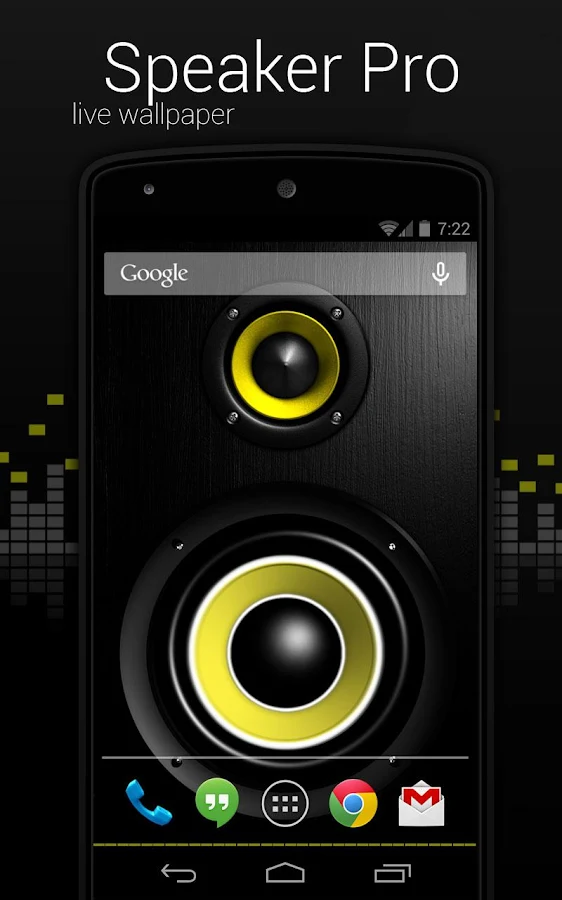
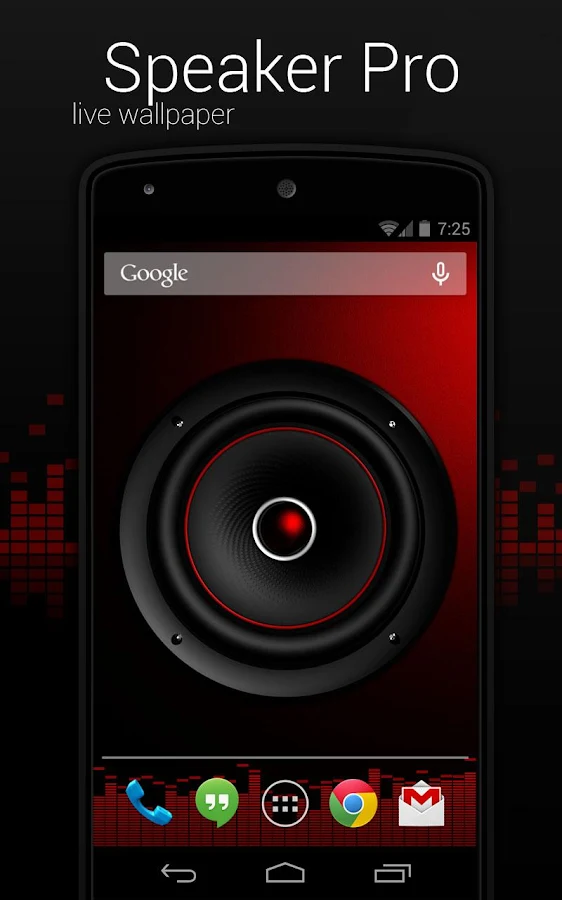
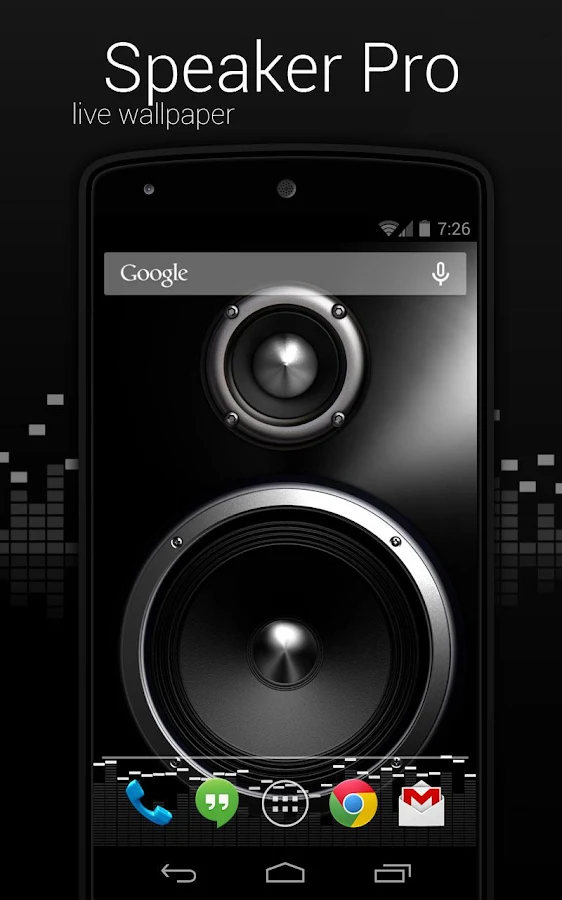
Speaker Pro Live Wallpaper v1.2.9

Description

Screen Speaker Live Wallpaper. This is a realistic renderer of speakers. In your choice of several options for the speakers, enclosures and bottom visualizer.
Application engine evaluates the output sound power of smartphone in selected frequency band, and then generated a splash speaker cone is proportional to the signal level.
Check the trial version of the application for review - Screen Speaker Free.
NOTE: On some devices, the program can not work properly due to the use of their own add-ons manufacturer. The application may not support some media players. It is desirable to see the free version of the application.
As in most applications of this type, it is possible to select a pre-configured theme or customize everything yourself.
The list of available options:
Themes
-Predefined themes;
Background
-Background (box).
Speaker
-Speaker. You can select the speaker type.
-Sensitivity. Parameter determining the reaction dynamics in the bursts of sound.
-Speaker figuration. You can select a design.
-Number of speakers. You can choose one or two.
-Frequency band. You can select the frequency band in which the engine is to evaluate the level of sound.
-Vibration. Turning animations vibration speaker for small sound vibrations.
-No music. The inclusion of animation work in the absence of sound output.
Sound wave
-Intensity. You can choose the radius of the animated sound wave.
-Color.
-Wave. Enable or Disable.
Visualizer
-Color.
-Opacity.
-Caps Visualizer. You can choose either free or bound.
-Color-caps.
-Speed ​​drop-caps. Operates on a free-caps.
-Height. You can set the height of the visualizer.
-Dash style.
-Arc. Adds a small curvature of the visualizer.
-Smoothing. Enable anti-aliasing filter for smoother operation Visualizer.
-No music. The inclusion of animation work in the absence of sound output.
-Enable/Disable.
How to install: Home->Long Press->LiveWallpapers->ScreenSpeaker


Additional information:

Updated: 26 July 2014
Size: 20M
Current Version: 1.3.0
Requires Android: 2.3 and up


Description

Screen Speaker Live Wallpaper. This is a realistic renderer of speakers. In your choice of several options for the speakers, enclosures and bottom visualizer.
Application engine evaluates the output sound power of smartphone in selected frequency band, and then generated a splash speaker cone is proportional to the signal level.
Check the trial version of the application for review - Screen Speaker Free.
NOTE: On some devices, the program can not work properly due to the use of their own add-ons manufacturer. The application may not support some media players. It is desirable to see the free version of the application.
As in most applications of this type, it is possible to select a pre-configured theme or customize everything yourself.
The list of available options:
Themes
-Predefined themes;
Background
-Background (box).
Speaker
-Speaker. You can select the speaker type.
-Sensitivity. Parameter determining the reaction dynamics in the bursts of sound.
-Speaker figuration. You can select a design.
-Number of speakers. You can choose one or two.
-Frequency band. You can select the frequency band in which the engine is to evaluate the level of sound.
-Vibration. Turning animations vibration speaker for small sound vibrations.
-No music. The inclusion of animation work in the absence of sound output.
Sound wave
-Intensity. You can choose the radius of the animated sound wave.
-Color.
-Wave. Enable or Disable.
Visualizer
-Color.
-Opacity.
-Caps Visualizer. You can choose either free or bound.
-Color-caps.
-Speed ​​drop-caps. Operates on a free-caps.
-Height. You can set the height of the visualizer.
-Dash style.
-Arc. Adds a small curvature of the visualizer.
-Smoothing. Enable anti-aliasing filter for smoother operation Visualizer.
-No music. The inclusion of animation work in the absence of sound output.
-Enable/Disable.
How to install: Home->Long Press->LiveWallpapers->ScreenSpeaker


Additional information:

Updated: 26 July 2014
Size: 20M
Current Version: 1.3.0
Requires Android: 2.3 and up


Fracta Pro Live Wallpaper

Description:

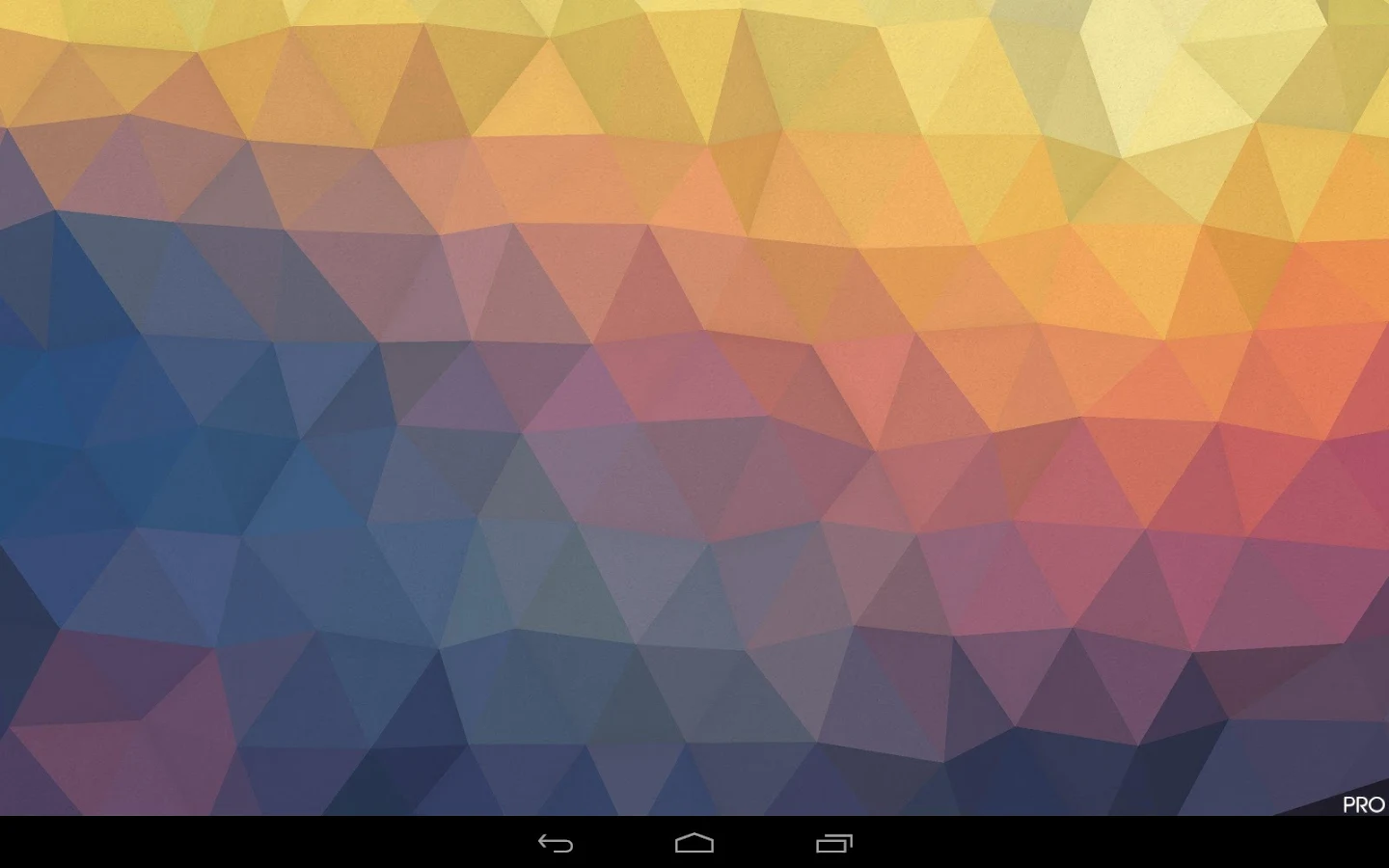
A colorful polygonal landscape tilts and moves across your home screen. Every scroll or tilt creates a delightful 3D perspective shift.
Choose from 20 built in themes, or use the Randomize feature to create an infinite number of new themes!
Fracta Pro even allows you to use pictures from your device as a source for the mosaic of colors.
If you like to change settings a lot, be sure to add the Fracta settings widget to your home screen (Home > Menu > Add > Widgets > Fracta ).
Permissions:
+ SD card permission required for still wallpaper saving.

Additional information:

Updated: 24 July 2014
Size: 943k
Current Version: 1.1.1
Requires Android: 2.3 and up
Price: Rs. 119.52


Downloads:

Play Store Download APK

Description:

A colorful polygonal landscape tilts and moves across your home screen. Every scroll or tilt creates a delightful 3D perspective shift.
Choose from 20 built in themes, or use the Randomize feature to create an infinite number of new themes!
Fracta Pro even allows you to use pictures from your device as a source for the mosaic of colors.
If you like to change settings a lot, be sure to add the Fracta settings widget to your home screen (Home > Menu > Add > Widgets > Fracta ).
Permissions:
+ SD card permission required for still wallpaper saving.

Additional information:

Updated: 24 July 2014
Size: 943k
Current Version: 1.1.1
Requires Android: 2.3 and up
Price: Rs. 119.52


Downloads:

Play Store Download APK

Thursday, November 30, 2017

Z Launcher by Nokia v0.2.0

Today Nokia has unveiled its first home launcher for Android. Called as Z launcher, the home launcher works as a home screen for your Android smartphone. Similar to most of the other android launchers in the market, Z launcher makes your Android experience easy by predicting apps according to your usage pattern and preferences.

Finding the right app or contact – your Ace of Spades – constantly changes depending on where you are, what you’re doing, and what time of day it is. We’re introducing a pre-beta version of the Z Launcher to help change this.said Brook Eaton, Lead Product Manager, Nokia in a company blog post.

 The  main aim of the Z launcher is to let you find and access your app quickly instead of browsing for it. It surfaces app on the screen after learning your habits and other indicators such as location, time of day etc. In addition, it boasts of a feature called Scribble that allows you to draw a letter on the screen with your finger and then jump directly to a list of apps and contacts that begin with that letter. Currently, the Z launcher is in beta and users are invited to try it out for free and provide feedback later.


Download the Z Launcher

Today Nokia has unveiled its first home launcher for Android. Called as Z launcher, the home launcher works as a home screen for your Android smartphone. Similar to most of the other android launchers in the market, Z launcher makes your Android experience easy by predicting apps according to your usage pattern and preferences.

Finding the right app or contact – your Ace of Spades – constantly changes depending on where you are, what you’re doing, and what time of day it is. We’re introducing a pre-beta version of the Z Launcher to help change this.said Brook Eaton, Lead Product Manager, Nokia in a company blog post.

 The  main aim of the Z launcher is to let you find and access your app quickly instead of browsing for it. It surfaces app on the screen after learning your habits and other indicators such as location, time of day etc. In addition, it boasts of a feature called Scribble that allows you to draw a letter on the screen with your finger and then jump directly to a list of apps and contacts that begin with that letter. Currently, the Z launcher is in beta and users are invited to try it out for free and provide feedback later.


Download the Z Launcher